UNIPORT Directs Students to Verify Academic Levels and Outstanding School Fees on University Portal
The University of Port Harcourt (UNIPORT) has advised all students to log in to the university portal to verify their academic levels and confirm their school fees payment status.
 Philip22

The University of Port Harcourt (UNIPORT) has advised all students to log in to the university portal to verify their academic levels and confirm their school fees payment status.
In a notice issued by the Information and Communication Technology Centre (ICTC), students were directed to visit https://ups.uniport.edu.ng and log in using their Student PIN as both their username and password.
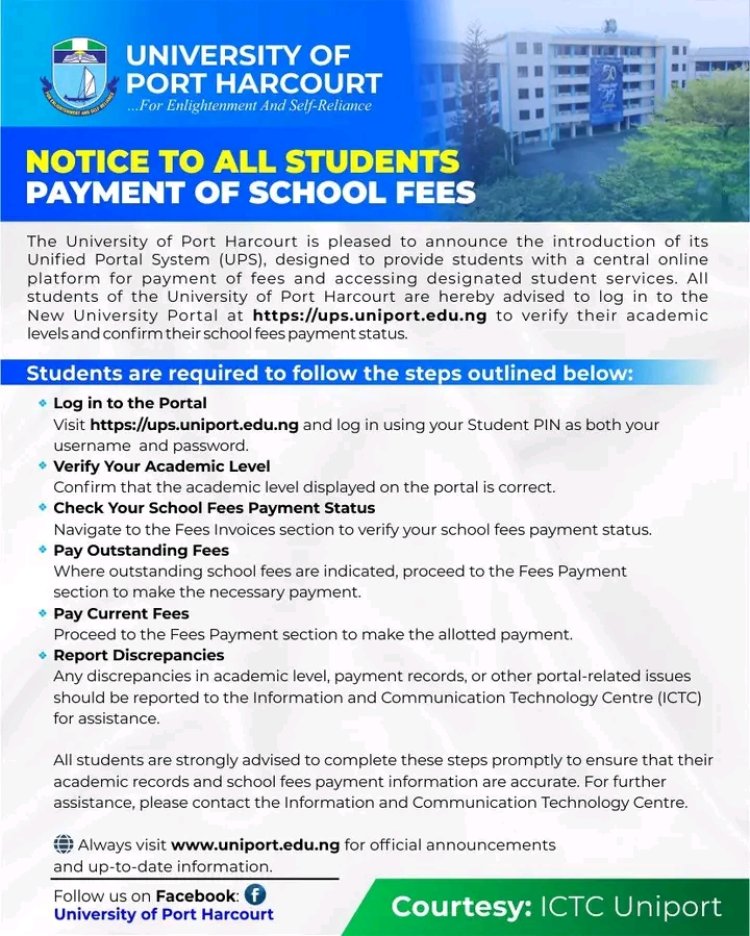
Students are required to complete the following steps:
-
Log in to the portal: Visit https://ups.uniport.edu.ng and use your Student PIN as both your username and password.
-
Confirm academic level: Check that the academic level displayed on the portal is correct.
-
Check payment status: Navigate to the Fees Invoices section to confirm your school fees payment status.
-
Pay outstanding fees: Students with outstanding school fees should proceed to the Fees Payment section to make the necessary payments.
-
Report irregularities: Any discrepancies in academic levels, payment records or other portal-related issues should be reported to the Information and Communication Technology Centre (ICTC) for assistance.
The university urged all students to complete the verification process and ensure that their records are accurate.
For further assistance, students are advised to contact the ICTC.