UNILAG Releases 2025/2026 Post-UTME Online Examination Instructions
The Management of the University of Lagos (UNILAG) has issued comprehensive guidelines for candidates preparing for the 2025/2026 Post-UTME Aptitude Test, stressing compliance to avoid disqualification.
 Philip22
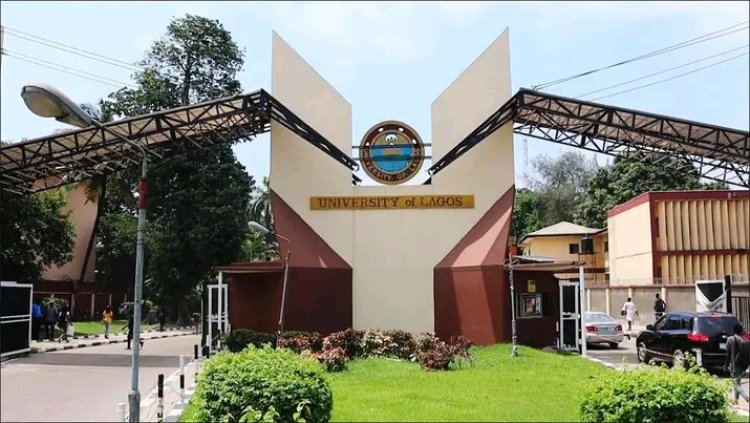
The Management of the University of Lagos (UNILAG) has issued comprehensive guidelines for candidates preparing for the 2025/2026 Post-UTME Aptitude Test, stressing compliance to avoid disqualification.
According to the Registrar and Secretary to Council, Mrs. V. Abosede Wickliffe, the Post-UTME will be conducted strictly online, and candidates must adhere to all protocols provided by the university.
General Instructions
- The Post-UTME Aptitude Test is online and competitive. Candidates must ensure a reliable internet connection before attempting the test.
- Candidates’ activities will be monitored and recorded. Only a laptop with an in-built webcam and microphone is allowed. (Mobile phones are not supported).
- Covering the webcam during the test may lead to disqualification.
- Candidates are not permitted to leave their seat once the test begins.
- The use of external cameras or HDMI displays is strictly prohibited.
- No third party, including family members, is permitted around candidates during the test.
- The examination lasts 30 minutes and will auto-submit once time elapses.
- Candidates must not speak aloud or read questions out.
- If time runs out, the test will automatically be submitted.
- The use of face masks, caps, earpieces, or headphones during the test is prohibited.
- Candidates using cafés or business centres must ensure no one is nearby during the exam.
- The examination environment must be well-lit, as unclear visibility may result in disqualification.
- Candidates may log in only at their scheduled date and time.
- For technical issues, the “Need Help?” button on the test page should be used. Complaints must be reported immediately for prompt resolution.

Directions to Take Examination
The test can be accessed via:
- The “Go to WebTest” button on the UNILAG application portal.
- The “Click Here To Take Exam” button in the email sent to candidates.
- Direct login at https://unilag.proctee.webtest.ng using UTME number as username and surname (in lowercase) as password.
Once logged in, candidates must:
- Click “Take Exam” to open the instructions page.
- Download and install the specified examination browser for Windows or macOS.
- Grant all permissions requested by the SEB browser.
- Return to the exam page and click “Click here to take your exam” to launch the test.
Note: The exam browser is supported on Windows 8.1 or higher and Ventura OS for Mac users.
Mock Examination
A mock test is scheduled from Monday, August 25 to Wednesday, August 27, 2025. Candidates are strongly advised to participate to:
- Install the exam browser.
- Take the mock test.
- Practise using the laptop intended for the main exam.
For support before or during the aptitude test, candidates may contact:
???? postutme@unilag.edu.ng
???? 09053006772, 08141656802